Manage AI security across every machine. From one console.

Fleet Console gives you centralized visibility and control over Crawdad across your entire device fleet — per-device status, bulk operations, signed policy enforcement — without collecting a single byte of content.

Talk to Us → See the Console
Crawdad Fleet Console — centralized device management across your fleet

One device is straightforward. A fleet is a different problem.

Securing AI agents on a single machine is a solved problem. Doing it across hundreds of endpoints — with per-device status, consistent policy, and fleet-wide visibility — requires purpose-built tooling.

Visibility at scale

Which devices are protected? Which are pending enrollment? Which fell behind on policy? One machine is easy to check. Five hundred need a dashboard, not a spreadsheet.

Consistent enforcement

Every device in the fleet needs the same detection floors, the same policy baselines, the same enforcement guarantees. Manual per-device configuration doesn't scale.

Operational efficiency

Enrolling devices one at a time, approving them individually, checking status by SSH — that's an ops burden that grows linearly with the fleet. Bulk operations eliminate it.

500+ devices. One view.

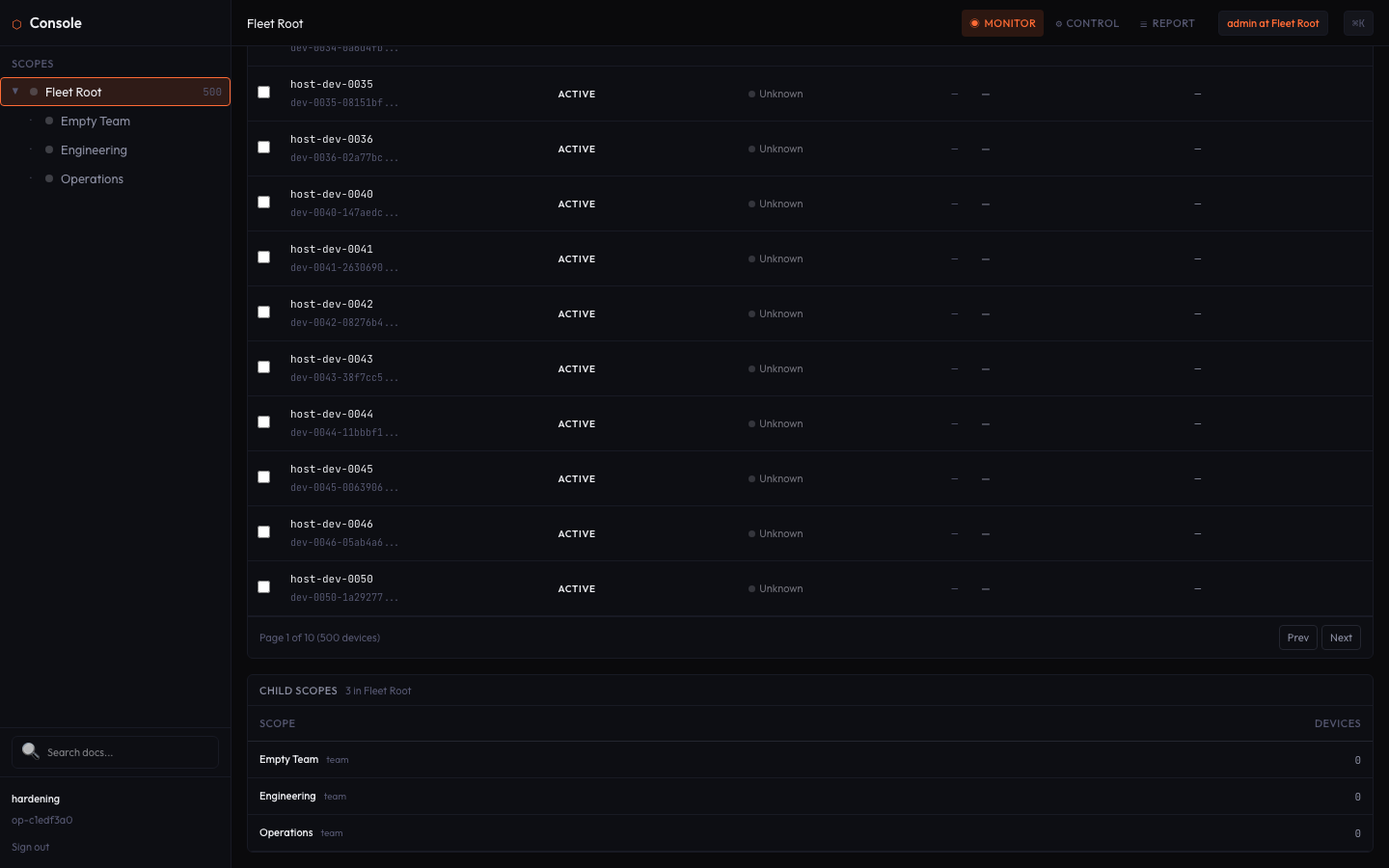
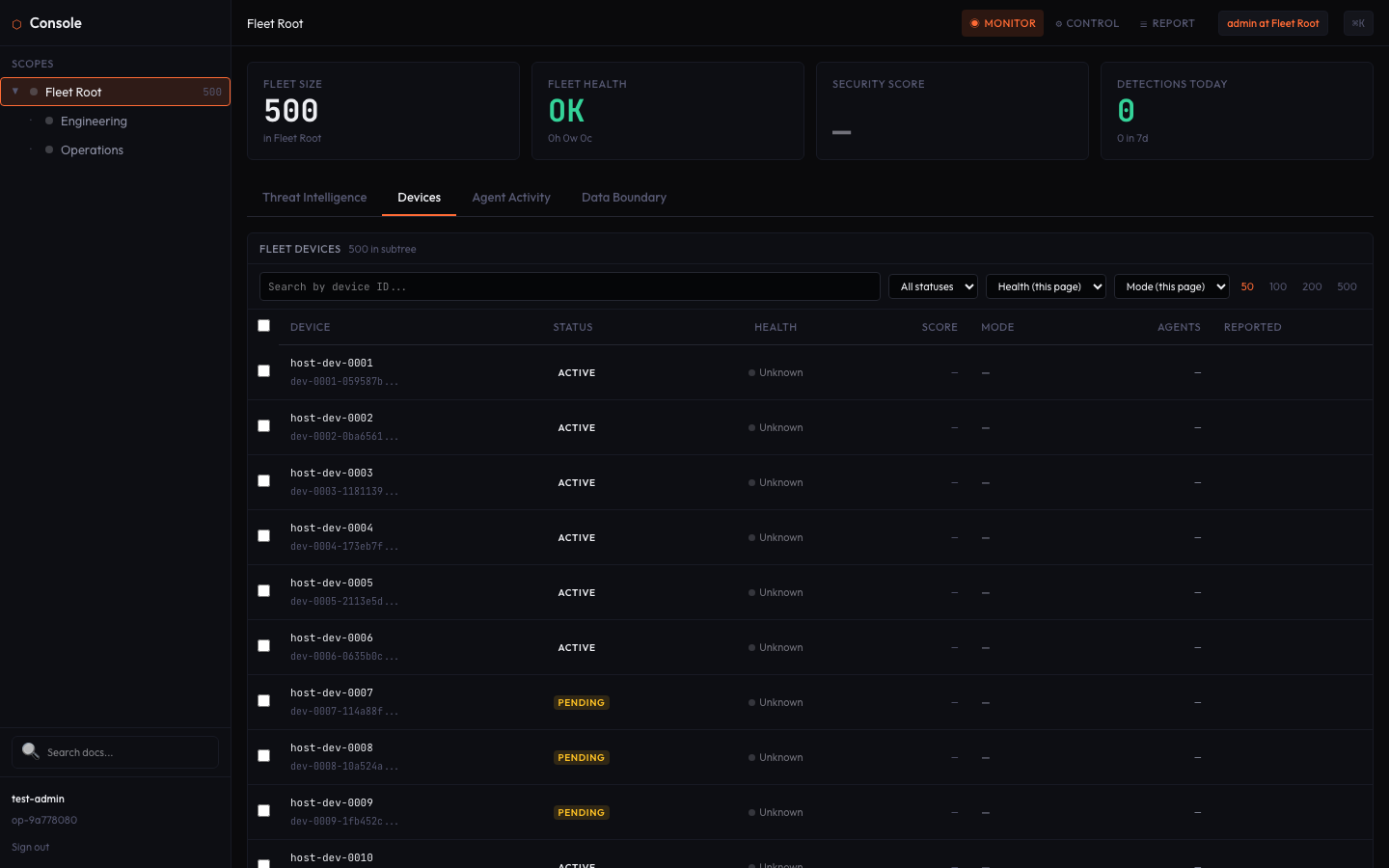
Fleet Console is built for real fleet scale. Browse your entire device inventory with pagination, search by hostname or status, sort by any column. Every device shows its protection status, last check-in, and policy compliance at a glance.

  • Per-device protection status and last check-in
  • Pagination and search across the full device fleet
  • Sort by hostname, status, enrollment date
  • Real-time posture view across the organization
Fleet Console showing 500 devices with per-device status, pagination, and sorting

Fleet Console — 500 devices, per-device status, paginated inventory

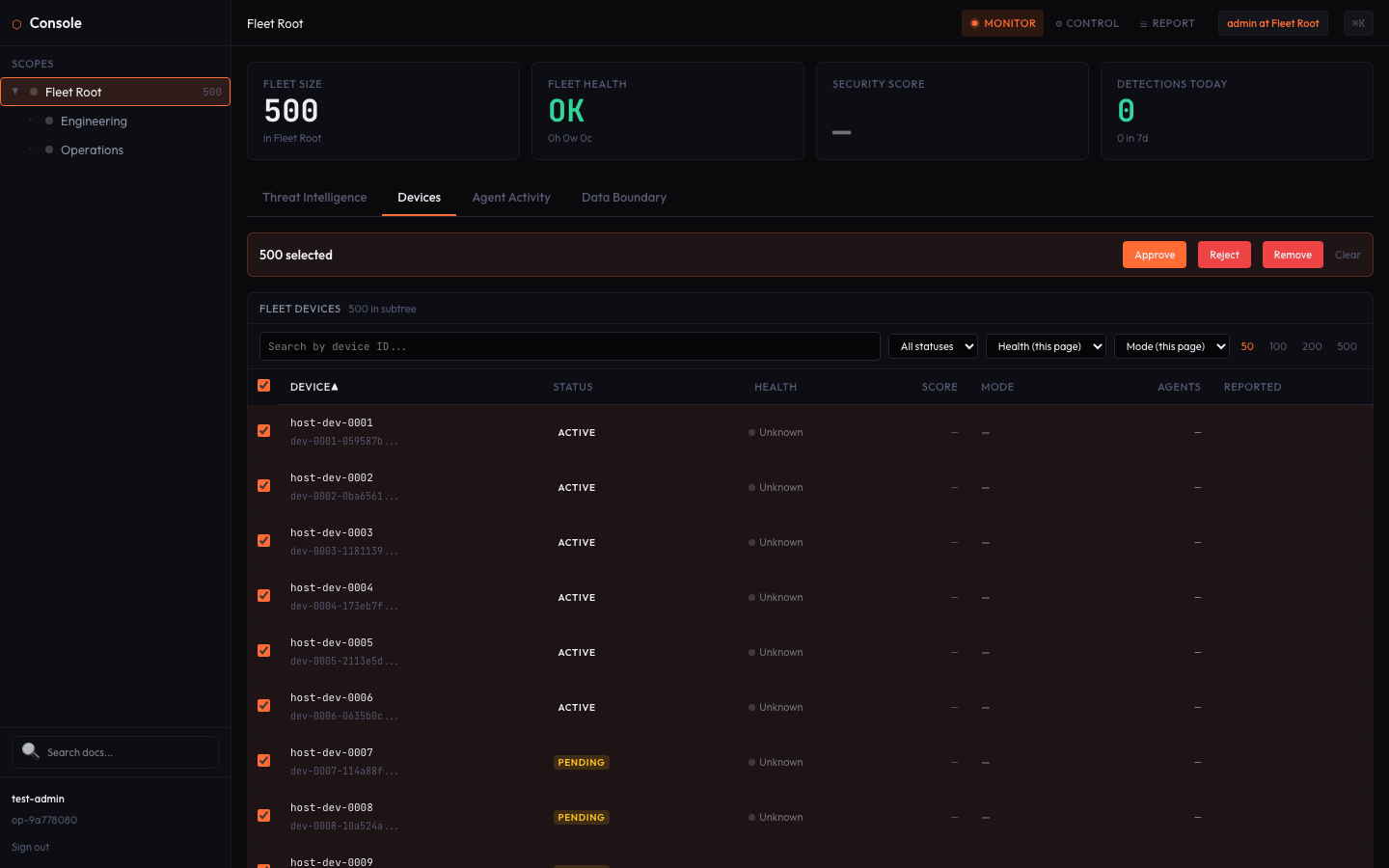
Fleet Console bulk selection — select all 500 devices for batch operations

Bulk select — select all 500 devices for batch approve/enroll

Approve, enroll, manage — in bulk.

Multi-select individual devices or select the entire fleet at once. Approve pending enrollments in batch, update policy across a group, or take action on devices that have fallen out of compliance — all from a single operation.

  • Multi-select individual devices or select all
  • Batch approve pending enrollments
  • Fleet-wide policy updates in one operation
  • Filter, then act — target exactly the devices you need

Search, filter, act.

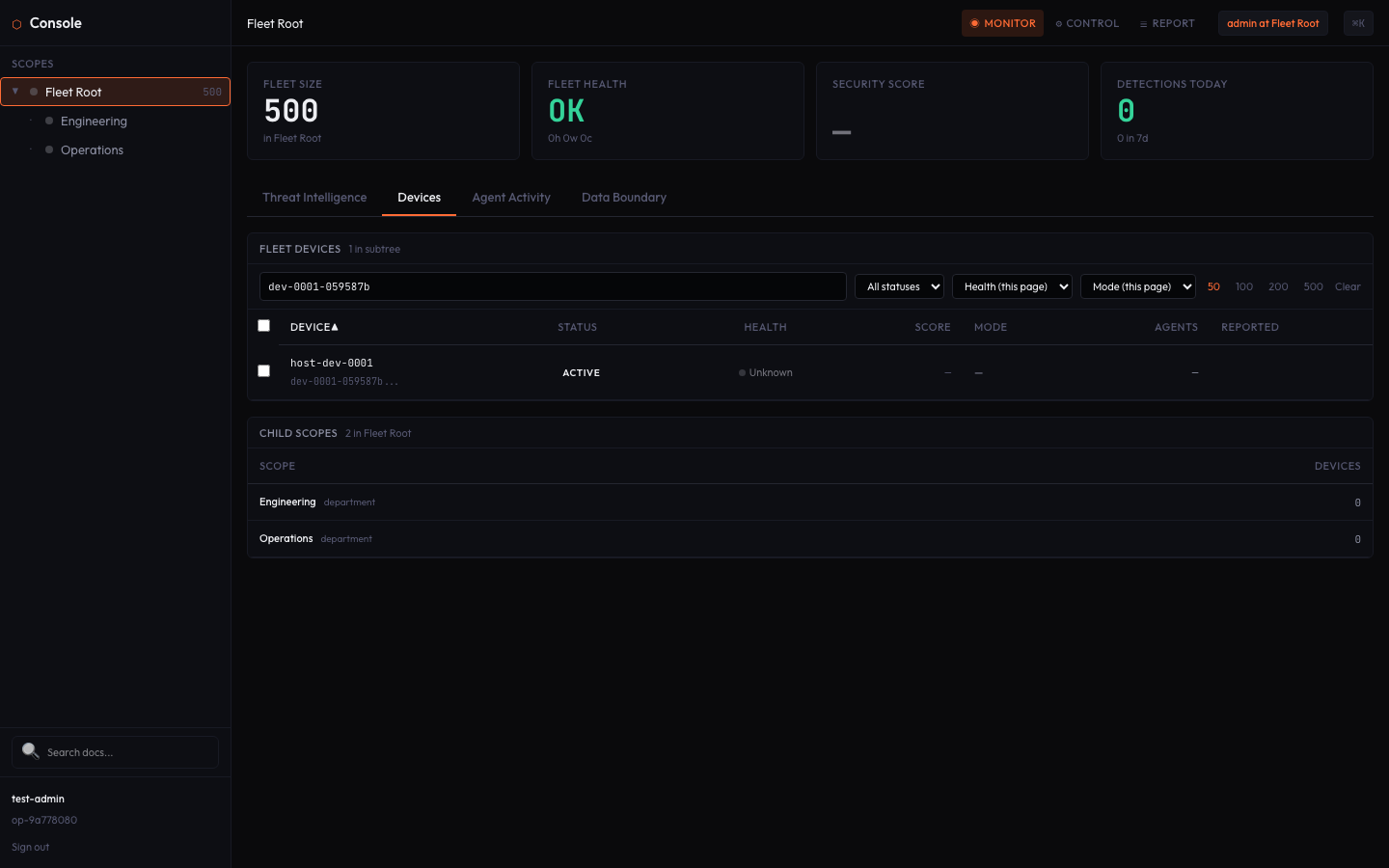
Find any device instantly. Search by hostname, filter by enrollment status, narrow down to exactly the subset you need. When your fleet is 500 devices deep, you need search that works — not scroll.

  • Real-time hostname search
  • Filter by protection status or enrollment state
  • Combine search with bulk operations
Fleet Console search — find devices by hostname or status

Search — find any device by hostname or status

Architecture
┌─────────────────────────┐
 Fleet Console
 signed commands (Ed25519)
└──────────┬──────────────┘
           │
 ┌───────┴───────┐
 │  Device A    │  local sidecar
 │  Device B    │  local sidecar
 │  Device C    │  local sidecar
 │  …          │
 └───────────────┘
raw content stays on device
console manages via signed commands

Central management. No central data.

Each device runs the local-first Crawdad sidecar. Prompts, responses, and tool-call arguments stay on the device — raw content never leaves by default. Metadata-only telemetry egresses by default; content does not. The Fleet Console manages devices centrally via Ed25519-signed commands, not by collecting data.

Central management without central data collection. The zero-knowledge architecture holds at fleet scale.

  • Each device runs a local-first sidecar — raw content stays on device
  • Console sends signed commands, not data requests
  • No aggregation risk — nothing to breach at the center
  • Air-gap capable — devices run fully offline

Fleet-scale security for the teams that need it.

For Managed Service Providers

Manage Crawdad across your entire client base from one console. Per-client scoping, multi-tenant device management, bulk enrollment. Your clients get local-first protection; you get fleet-wide visibility and control.

Learn more about Crawdad for MSPs →

For Enterprise Security Teams

Roll Crawdad out across hundreds of endpoints with centralized policy enforcement, signed detection floors, and an immutable audit trail. Endpoint-scale protection with zero-knowledge architecture — nothing to breach at the center.

Learn more about Crawdad for Enterprise →

Fleet management you can verify.

Centralized management introduces a trust question: what stops the central admin from weakening protection? Crawdad answers it with cryptography, not policy.

Signed hard floors

Ed25519-signed enforcement floors ensure that critical protections — credential exfiltration detection, PII scanning — cannot be disabled from the console. The floor is cryptographic, not a policy toggle.

Immutable audit trail

Every console action, every device state change, every policy update is logged to a Merkle-chained audit trail. Tamper-evident by construction — not by promise.

Signed commands

The console communicates with devices via Ed25519-signed commands. Devices verify the signature before executing. No unsigned instruction reaches the sidecar.

Ready to manage AI security across your fleet?

Request a walkthrough. We'll show you Fleet Console with your fleet size and deployment model in mind.

Request a Walkthrough → Get Started

Get in Touch

Tell us about your needs and we'll follow up.